MIND OF MILLER
← Notion Blueprints

Soundbound

Turn your reading queue into your commute.

Articles, reference material, and Notion pages you need to get through, converted into audio you can take with you.

Blueprint 003 · Personal audio workflow

Your reading. On the go.

Soundbound bridges the gap between saving something to read and actually getting through it. Add content to a Notion queue, set it to Queued, and a Mac worker turns it into an MP3 with local Kokoro text-to-speech. When it is Ready, listen in a private web player on your iPhone.

Article or Notion page → Queued → Local narration → Listen on your commute

Personal app. An existing Soundbound account is required; this is a project showcase, not a public signup.

The player, in use.

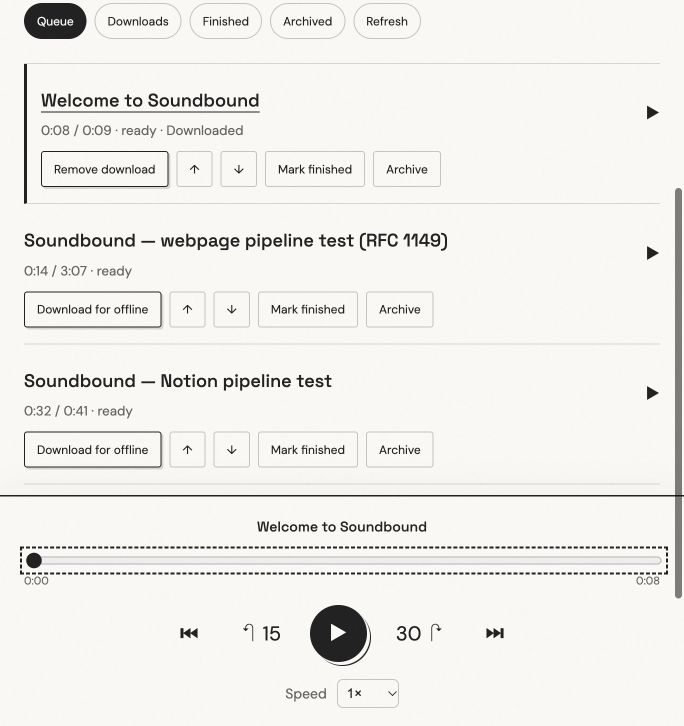
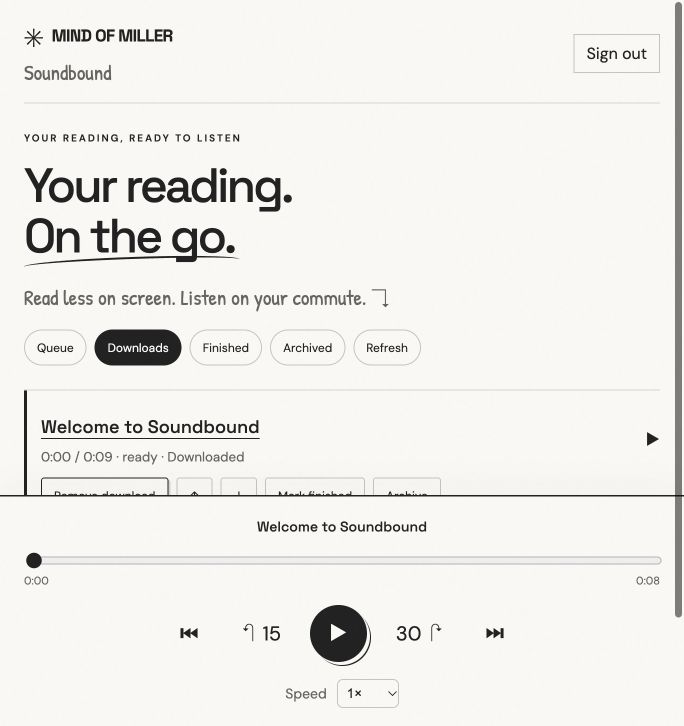
Actual screenshots of the web app with setup sample recordings. Tap either image to see the controls up close.

Soundbound audio player with reading queue, seek bar, play and pause, skip controls, and playback speed
Listen at your pace. Seek, skip, change speed, and pick up where you left off.
Soundbound Downloads view showing a recording saved to this device for offline listening
Download before leaving. Saved recordings are available when your commute loses service.
Less screen time

Built for the commute.

Queue management, adjustable playback speed, saved listening position, and device downloads turn a reading backlog into something you can work through on the go.

Progress stays on the device while offline and syncs when a connection returns. Download in the browser or Home Screen app you will use on the journey.

Your content stays yours

A private pipeline.

Notion manages the queue. Kokoro generates speech locally on a Mac. Supabase provides account login, owner-scoped database access, and private audio storage.

No paid speech-generation API is used. The worker retries failures and avoids regenerating unchanged content.

How the workflow fits together

  1. Collect the reading. Add a public article URL or paste content into a Notion page.
  2. Queue it. Change Audio Status to Queued. The Mac checks the queue automatically while awake and logged in.
  3. Generate the audio. The worker extracts readable content, narrates it in chunks, uploads the MP3 privately, and marks the Notion entry Ready.
  4. Take it with you. Open Soundbound, download recordings while connected, and play them from Downloads on your commute.

What has been checked

The real Notion-to-audio pipeline, private storage, player controls, progress syncing, downloads, and restoring a saved recording after reload have been verified. Automated tests cover offline recovery and failed jobs. Physical iPhone Airplane Mode and locked-screen playback still need device testing.

Browser storage can be cleared or evicted; check Downloads before traveling. Signing out removes downloads from that browser. Free hosting and storage allowances apply.

Project added October 20, 2026. Independent project by Brett Miller; not affiliated with Notion or Supabase.