Siri → Notion
“Hey Siri, Notion Task.”
A shortcut asks for your task and saves it directly to your Notion inbox.
Built on Mac. Original iPhone voice test and final row/status verification are still pending.
Useful systems. Less friction. More room for the good stuff.
 A growing collection
My Notion projects and workflows, shared so you can build your own. Capture tasks with your voice, or turn your reading queue into audio for the commute.
“Hey Siri, Notion Task.”
A shortcut asks for your task and saves it directly to your Notion inbox.
Built on Mac. Original iPhone voice test and final row/status verification are still pending.
“Alexa, ask task capture to add buy eggs.”
A private custom skill captures a task from your Echo and writes it to Notion.
Real Notion saves verified in the Alexa simulator. Physical Echo test is still pending.
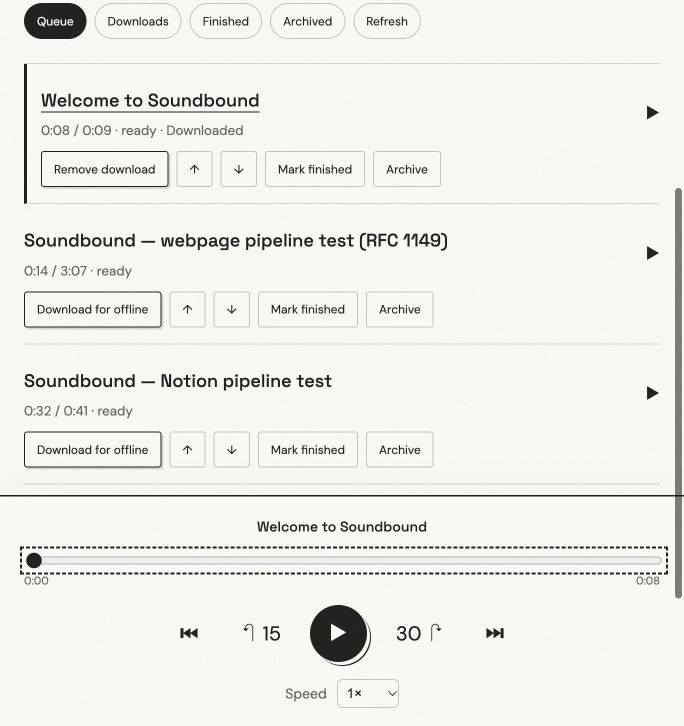
Turn your reading queue into your commute.
Convert articles and Notion pages you need to read into audio. Queue it in Notion then listen on your iPhone, with downloads for stretches without service.
Personal app · Notion + Supabase + local Kokoro · Existing account required.
Download a blueprint and give it to your AI assistant. Each file contains the setup brief, manual instructions, examples, troubleshooting, and a test checklist. Prefer to do it yourself? Read the same guide in your browser.
All public examples use placeholders. Create your own Notion connection and enter the token privately. No personal API keys, configured shortcuts, or private account IDs are included.